 WebKeeper
Early access for agencies & freelancers
Know what you manage.
Know who’s responsible.
Your client websites, domain responsibilities and website health. Hourly website checks, response history and daily screenshots, alongside the people who know what to do next.
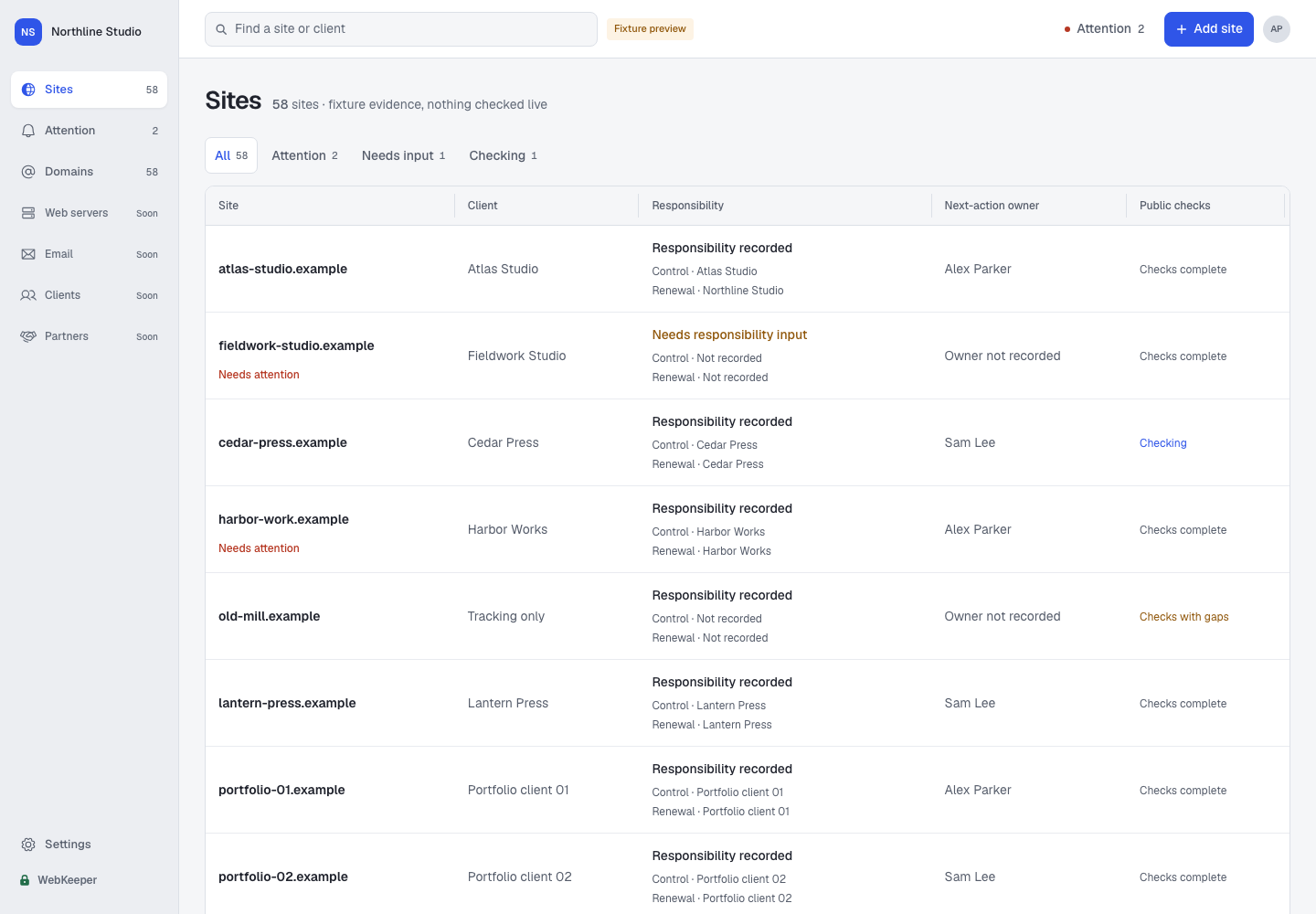
Built around the work between the tools
The site is in one dashboard.
The answer is in someone’s head.
A registrar login here. A client spreadsheet there. That one colleague who remembers the arrangement. WebKeeper gives that knowledge a shared home, with current evidence alongside it.
“Is this still our responsibility?”
“Who has the registrar account?”
“Did anyone change the DNS?”
See how the site is doing.
And how it looked yesterday.
Open a site to see its latest website response, domain and certificate expiry, response-time history and recent screenshots. Keep the day-to-day checks close to the client context.
- Hourly website checks
- Review responses and redirects. Request a fresh check when needed.
- 30 days of response history
- Explore the last 24 hours, seven days or 30 days.
- Daily desktop screenshots
- Look back through seven days of the primary landing page.
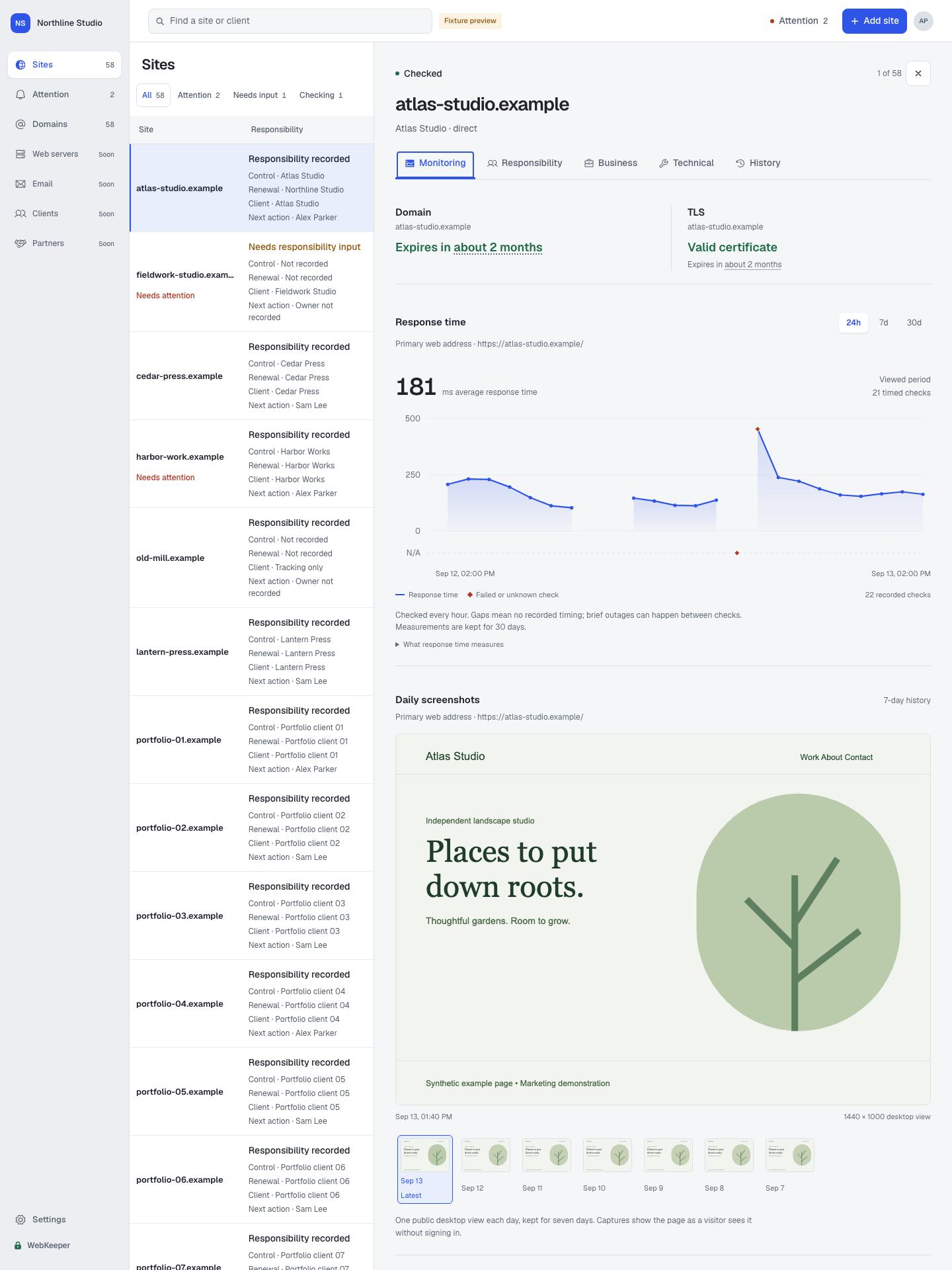
Response time measures the server’s response, not full page-load speed. Screenshots show the public page without signing in; cookie banners may appear. Browse recent captures in the gallery.
Start with the sites
you already look after.
Paste domains, URLs or a simple list from your spreadsheet. Review the import, sort out duplicates and give every client site a place.
The first checks appear as results arrive. Bring in nameservers, certificate details and available registrar information, then add the client context. Use the Domains view to follow a domain across the sites that share it.
atlas.exampleAtlas Studio
fieldwork.exampleFieldwork
harbour.exampleHarbour House
A shared portfolio.Ready for evidence and responsibility.
Illustrative import with fictional client sites.
Make “who owns this?”
a useful conversation.
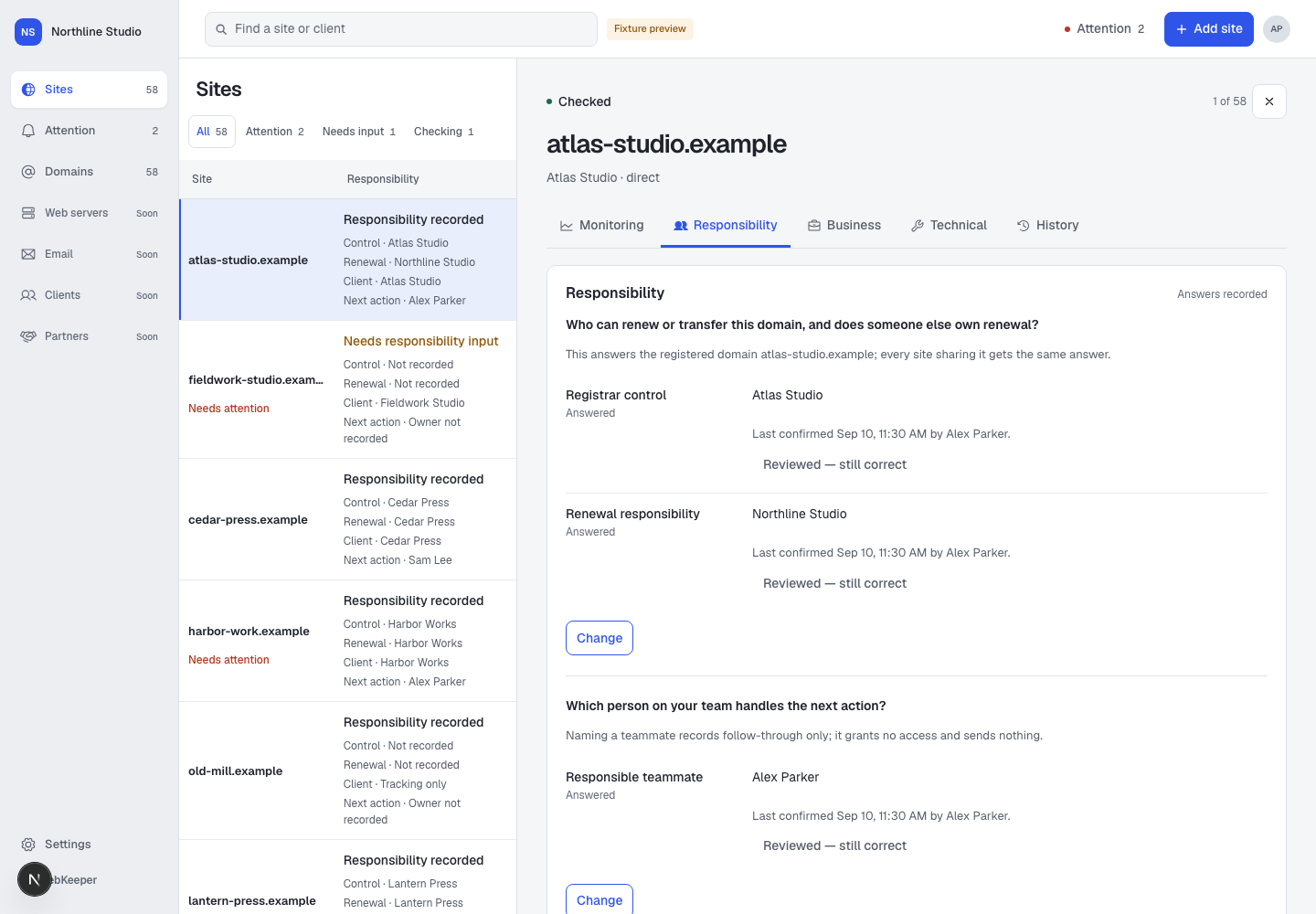
The client, the person with registrar access and the person handling renewal can be different people. Record those answers separately, so your team knows who to ask and who should act.
Invite your team into the same workspace. Set shared defaults, record exceptions and keep unanswered questions visible.
The nameservers changed.
The responsibility is still unclear.
A confirmed nameserver change
Domain control hasn’t been confirmed
Find out who controls the account
Illustrative example. Review findings in the app.
Know what changed.
Understand why it matters.
A changed nameserver. A certificate approaching expiry. A missing answer about domain control. Review important findings alongside their evidence and the people responsible.
A possible nameserver, registrar or redirect-domain change appears when first seen, with confirmation still pending. Confirmed changes and your team’s decisions stay in the history, so the next person has somewhere to start.
The technical details.
In the client’s context.
Is the site responding? Where does it redirect? See the latest website check alongside DNS providers, nameservers, registrar information and certificate details. Each observation comes with a source and a timestamp, so you can see what was checked and when.
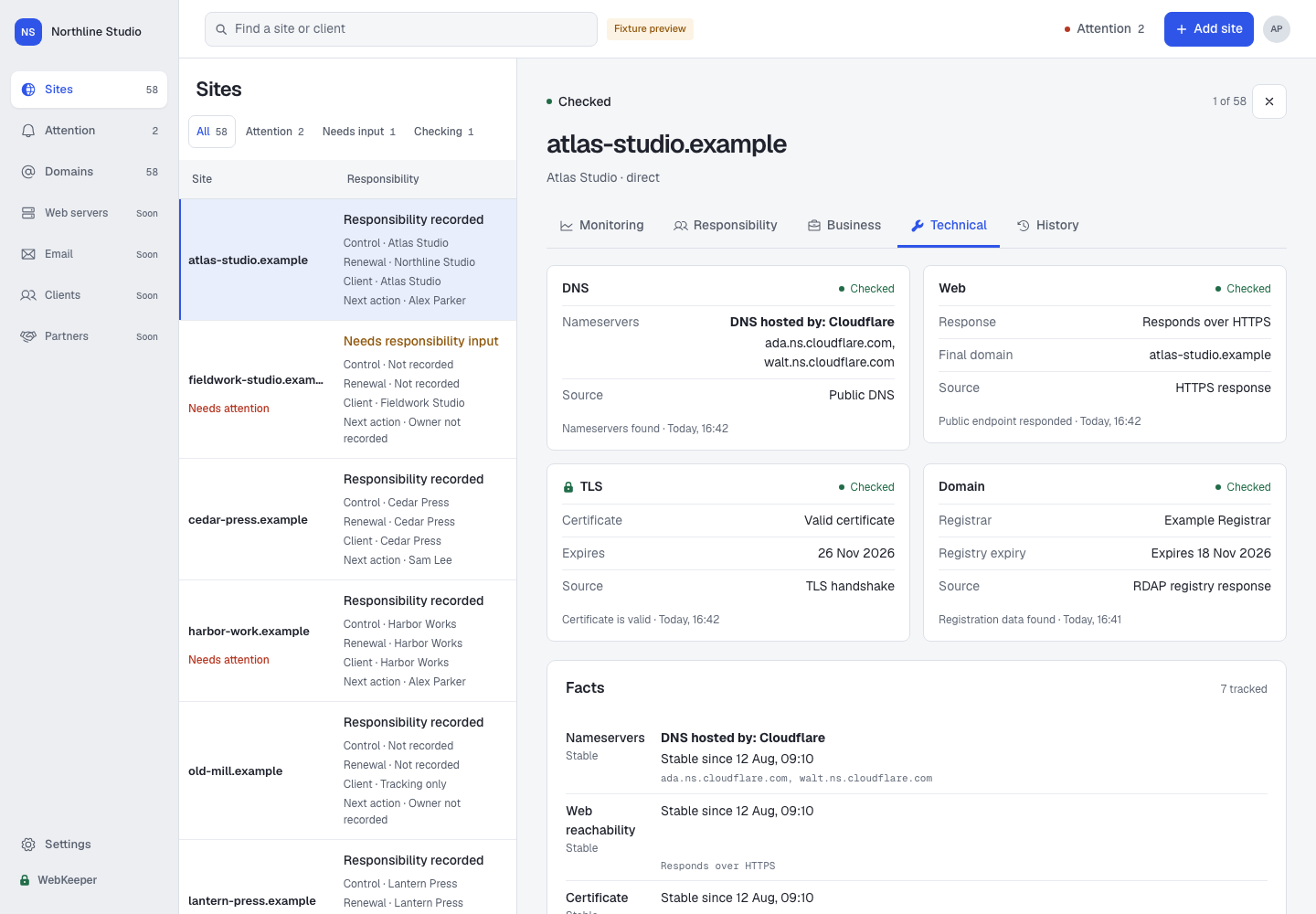
Useful for a routine review, a handover, or finding out what changed. Unavailable information stays clearly marked.
What WebKeeper tracks.
And what’s next.
The pilot starts with your websites and domains. We’re building toward a clearer picture of the services behind them.
In the pilot
- Domains & DNS
- Nameservers, recognized DNS providers, registrar information and registry expiry where available.
- Website monitoring & response times
- Hourly HTTPS or HTTP checks record the response, redirect destination and time to respond. Explore 30 days of recorded measurements in the Monitoring tab.
- Daily screenshots
- A desktop view of each site’s primary public landing page, captured daily and available for seven days. Review recent captures from the same site details.
- Certificates
- HTTPS certificate validity and expiry, kept alongside the website and the people responsible for it.
- Responsibility & change
- Client context, domain control, renewal responsibility, next-action owners and meaningful change history.
Planned additions Not yet available
- More frequent website checks
- Shorter intervals, down to one minute, for sites that need closer monitoring. The current pilot checks hourly.
- Email configuration & deliverability
- Mail routing and authentication checks such as MX, SPF and DMARC, with scoped DKIM checks and separate deliverability testing planned.
- Web servers & services
- A view of hosting, servers and the services that client websites depend on.
- Providers & technology
- Wider provider, CDN and technology discovery to connect more of your client infrastructure.
Shaped by pilot feedback. No release dates yet. Email configuration checks alone won’t prove inbox delivery.
From scattered information
to a shared picture.
Start with a list. Build the context as you go. Come back to a portfolio that keeps track of change.
- 1
Add your sites
Paste a list and review it before adding it to your workspace.
- 2
See the public facts
Checks collect technical details, with sources and timestamps.
- 3
Record responsibility
Add who controls, renews and looks after each domain.
- 4
Review what needs attention
Follow important changes, open questions and next actions.
of WebKeeper
Built for the questions
that outlive the project.
A website launch is a milestone. Looking after the domain, remembering the arrangements and handing it over clearly is ongoing work. That is the work I’m building WebKeeper for.
I’m inviting a small group of agencies and freelancers to try it with their own portfolios and help shape what comes next.
Talk to me at hello@webkeeper.ioA few things
you might be wondering.
Something else on your mind?
Get in touch.

A small pilot. Real client portfolios.
Give your team
a shared place to start.
Free for 30 days. Up to 100 sites and five people, including you.
We’ll get in touch about the next invitation.